Intel D865GVHZ User Manual
Browse online or download User Manual for Motherboards Intel D865GVHZ. Intel D865GVHZ User's Manual
- Page / 88
- Table of contents
- BOOKMARKS

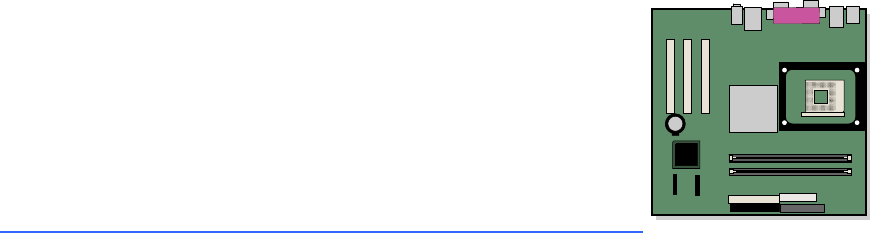
- Desktop Board 1
- D865GVHZ Product Guide 1
- Revision History 2
- Intended Audience 3
- Information Layout 3
- Conventions 3
- Notations 4
- Contents 5
- 5 Desktop Board Resources 7
- B Regulatory Compliance 7
- 1 Desktop Board Features 9
- Supported Operating Systems 10
- Desktop Board Components 11
- Processor 13
- Main Memory 14
- LAN Subsystem 15
- 865GV Chipset 15
- Graphics Subsystem 15
- Audio Subsystem 15
- Input/Output (I/O) Controller 16
- Hi-Speed USB 2.0 Support 16
- Enhanced IDE Interface 17
- Chassis Intrusion 18
- Power Management Features 18
- Desktop Board Features 19
- Speaker 20
- Real-Time Clock 20
- Board Components 21
- Installation Precautions 22
- Installation Instructions 22
- Prevent Power Supply Overload 23
- Place Battery Marking 23
- Installing the I/O Shield 24
- Installing a Processor 26
- Removing the Processor 27
- CHANNEL A 28
- CHANNEL B 28
- Installing DIMMs 29
- Removing DIMMs 29
- Connecting the IDE Cable 30
- Connecting Internal Headers 33
- Connecting the USB 2.0 Header 34
- Chassis intrusion 36
- Connecting Fans 37
- D865GVHZ 38
- Clearing BIOS Passwords 40
- Back Panel Connectors 41
- Replacing the Battery 42
- 3 Updating the BIOS 47
- Utility 48
- Recovering the BIOS 49
- Maintenance Menu 52
- Main Menu 53
- Advanced Menu 54
- PCI Configuration Submenu 55
- Boot Configuration Submenu 56
- ATA/IDE Configuration Submenu 59
- PATA Submenu 60
- Video Configuration Submenu 64
- USB Configuration Submenu 65
- Chipset Configuration Submenu 66
- Fan Control Submenu 68
- Security Menu 69
- Power Menu 70
- ACPI Submenu 71
- Boot Menu 72
- Boot Device Priority Submenu 73
- Hard Disk Drives Submenu 74
- Removable Devices Submenu 75
- ATAPI CD-ROM Drives 76
- Exit Menu 77
- Interrupts 80
- BIOS Beep Codes 81
- BIOS Error Messages 82
- Product Ecology Statements 86
- EMC Regulations 87
Summary of Contents
Intel® Desktop Board D865GVHZ Product Guide Order Number: C70847-001
Intel Desktop Board D865GVHZ Product Guide10Table 1. Feature Summary (continued)Hardware Management Hardware monitor with:•Three fan sensing inputs•T
Desktop Board Features11Desktop Board ComponentsFigure 1 shows the approximate location of the major components on Desktop Board D865GVHZ.OM17019USB 2
Intel Desktop Board D865GVHZ Product Guide12Table 2. Desktop Board ComponentsLabel DescriptionA CD-ROM audio connector (ATAPI-style) B Front panel au
Desktop Board Features13ProcessorCAUTIONFailure to use an ATX12V power supply, or not connecting the 12 V processor core voltage power supply connecto
Intel Desktop Board D865GVHZ Product Guide14Main MemoryNOTETo be fully compliant with all applicable Intel® SDRAM memory specification addendums, the
Desktop Board Features15Intel®865GV ChipsetThe Intel 865GV chipset consists of the following devices:•Intel 82865GV Graphics and Memory Controller Hub
Intel Desktop Board D865GVHZ Product Guide16Table 4. RJ-45 10/100 Ethernet LAN Connector LEDsLED Color LED State IndicatesOff 10 Mbit/sec data rate i
Desktop Board Features17Enhanced IDE InterfaceThe ICH5’s IDE interface handles the exchange of information between the processor and peripheral device
Intel Desktop Board D865GVHZ Product Guide18•Setting a user password restricts who can boot the computer. The password prompt is displayed before the
Desktop Board Features19The fan speed control feature can be disabled in the BIOS, resulting in the chassis fans always operating at full speed. This
Revision HistoryRevision Revision History Date-001Final version of the Intel® Desktop Board D865GVHZ Product Guide.March 2004If an FCC declaration of
Intel Desktop Board D865GVHZ Product Guide20PME# Wakeup SupportWhen the PME# signal on the PCI bus is asserted, the computer wakes from an ACPI S1, S3
212 Installing and Replacing Desktop Board ComponentsThis chapter tells you how to:•Install the I/O shield•Install and remove the desktop board •Insta
Intel Desktop Board D865GVHZ Product Guide22Follow these guidelines before you begin:•Always follow the steps in each procedure in the correct order.•
Installing and Replacing Desktop Board Components23If the power supply and other modules or peripherals, as applicable, are not Class B EMC compliant
Intel Desktop Board D865GVHZ Product Guide24Use Only for Intended ApplicationsAll Intel desktop boards are evaluated as Information Technology Equipme
Installing and Replacing Desktop Board Components25Installing and Removing the Desktop BoardWARNINGOnly qualified technical personnel should do this p
Intel Desktop Board D865GVHZ Product Guide26Installing and Removing a ProcessorInstructions on how to install the processor to the desktop board are g
Installing and Replacing Desktop Board Components27Connecting the Processor Fan Heat Sink CableConnect the processor fan heat sink cable to the proces
Intel Desktop Board D865GVHZ Product Guide28Installing and Removing MemoryCAUTIONTo be fully compliant with all applicable Intel SDRAM memory specific
Installing and Replacing Desktop Board Components29Installing DIMMsTo install DIMMs, follow these steps:1. Observe the precautions in “Before You Begi
iiiPrefaceThis Product Guide gives information about board layout, component installation, BIOS Setup menus, and regulatory requirements for Intel® De
Intel Desktop Board D865GVHZ Product Guide30Connecting the IDE CableThe two IDE cables support the Ultra DMA-33 and ATA-66/100 transfer protocols. Ea
Installing and Replacing Desktop Board Components31OM17024OM15238BAFigure 7. Connecting the IDE CableConnecting the Serial ATA CableThe SATA cable (4
Intel Desktop Board D865GVHZ Product Guide32OM15238OM17025ABFigure 8. Connecting the Serial ATA Cable
Installing and Replacing Desktop Board Components33 Connecting Internal HeadersFigure 9 shows the location of internal headers. OM17026D98765421321345
Intel Desktop Board D865GVHZ Product Guide34Connecting the Front Panel HeaderBefore connecting the front panel header, observe the precautions in “Bef
Installing and Replacing Desktop Board Components35Installing a Front Panel Audio SolutionFigure 9-A shows the location of the front panel audio heade
Intel Desktop Board D865GVHZ Product Guide36 Connecting Hardware Control and Power CablesFigure 10 shows the location of the chassis intrusion and fan
Installing and Replacing Desktop Board Components37Connecting the Chassis Intrusion CableConnect the chassis intrusion cable to the header shown in Fi
Intel Desktop Board D865GVHZ Product Guide38Add-In Card and Peripheral Interface ConnectorsFigure 11 shows the PCI bus add-in card and peripheral inte
Installing and Replacing Desktop Board Components39Setting the BIOS Configuration Jumper BlockCAUTIONAlways turn off the power and unplug the power co
Intel Desktop Board D865GVHZ Product GuideivNotationsTerm DescriptionGB Gigabyte (1,073,741,824 bytes)KB Kilobyte (1024 bytes)MB Megabyte (1,048,576 b
Intel Desktop Board D865GVHZ Product Guide40Clearing BIOS PasswordsThis procedure assumes that the board is installed in the computer and the BIOS con
Installing and Replacing Desktop Board Components41 Back Panel ConnectorsNOTEThe line out connector, located on the back panel, is designed to power e
Intel Desktop Board D865GVHZ Product Guide42Replacing the BatteryA coin-cell battery (CR2032) powers the real-time clock and CMOS memory. When the co
Installing and Replacing Desktop Board Components43AVVERTIMENTOEsiste il pericolo di un esplosione se la pila non viene sostituita in modo corretto.
Intel Desktop Board D865GVHZ Product Guide44AWASRisiko letupan wujud jika bateri digantikan dengan jenis yang tidak betul. Bateri sepatutnya dikitar
Installing and Replacing Desktop Board Components45To replace the battery, follow these steps:1. Observe the precautions in “Before You Begin” (see pa
Intel Desktop Board D865GVHZ Product Guide46
473 Updating the BIOSThis chapter tells you how to update the BIOS by either using the Intel® Express BIOS Update utility or the Iflash Memory Update
Intel Desktop Board D865GVHZ Product Guide48Updating the BIOS with the Iflash Memory Update Utility With the Iflash Memory Update utility you can upda
Updating the BIOS49Recovering the BIOSIt is unlikely that anything will interrupt the BIOS update; however, if an interruption occurs, the BIOS could
vContents1 Desktop Board FeaturesSupported Operating Systems ...
Intel Desktop Board D865GVHZ Product Guide50
514 Using the BIOS Setup ProgramThe BIOS Setup program can be used to view and change the BIOS settings for the computer. The BIOS Setup program is a
Intel Desktop Board D865GVHZ Product Guide52Table 10 shows the function keys available for menu screens.Table 10. BIOS Setup Program Function KeysBIOS
Using the BIOS Setup Program53Main MenuMain Advanced Security Power Boot ExitBIOS Version xxxxx10A.86A.xxxx.xxxProcessor Type Intel® Pentium® 4Hyper-
Intel Desktop Board D865GVHZ Product Guide54Advanced MenuMain Advanced Security Power Boot ExitSetup Warning:Setting items on this screen to incorrec
Using the BIOS Setup Program55PCI Configuration SubmenuMain Advanced Security Power Boot ExitPCI ConfigurationPCI Slot 1 IRQ Priority [Auto]PCI Slot
Intel Desktop Board D865GVHZ Product Guide56Boot Configuration SubmenuMain Advanced Security Power Boot ExitBoot ConfigurationPlug & Play O/S [No
Using the BIOS Setup Program57Peripheral Configuration SubmenuMain Advanced Security Power Boot ExitPeripheral ConfigurationSerial Port A [Auto]Paral
Intel Desktop Board D865GVHZ Product Guide58Table 16. Peripheral Configuration Submenu (continued)Feature Options DescriptionMode•Output only•Bi-direc
Using the BIOS Setup Program59ATA/IDE Configuration SubmenuMain Advanced Security Power Boot ExitIDE Configuration ATA/IDE Configuration [Legacy] Leg
Intel Desktop Board D865GVHZ Product GuideviInstalling and Removing a Processor...
Intel Desktop Board D865GVHZ Product Guide60PATA SubmenuMain Advanced Security Power Boot Exit [PATA Port-0 :Xxxxxxxx ]Type [
Using the BIOS Setup Program61Table 18. SATA and PATA Submenus (continued)Feature Options DescriptionDMA Mode•Auto (default)•SWDMA 0•SWDMA 1•SWDMA 2•M
Intel Desktop Board D865GVHZ Product Guide62Diskette Configuration SubmenuMain Advanced Security Power Boot ExitDiskette Configuration Diskette Contr
Using the BIOS Setup Program63Event Log Configuration SubmenuMain Advanced Security Power Boot ExitEvent Log Configuration Event Log [Space Available
Intel Desktop Board D865GVHZ Product Guide64Video Configuration SubmenuMain Advanced Security Power Boot ExitVideo Configuration AGP Aperture Size [
Using the BIOS Setup Program65USB Configuration SubmenuMain Advanced Security Power Boot ExitUSB Configuration High-Speed USB [Enabled]Legacy USB Su
Intel Desktop Board D865GVHZ Product Guide66Chipset Configuration SubmenuMain Advanced Security Power Boot ExitChipset Configuration Setup Warning:Se
Using the BIOS Setup Program67Table 23. Chipset Configuration Submenu (continued)Feature Options DescriptionExtended Configuration•Default (default)•U
Intel Desktop Board D865GVHZ Product Guide68Fan Control SubmenuMain Advanced Security Power Boot ExitFan Control Configuration Setup Warning:These op
Using the BIOS Setup Program69Security MenuMain Advanced Security Power Boot ExitSupervisor Password : Not InstalledUser Password : Not Insta
ContentsviiBoot Menu...72Boot
Intel Desktop Board D865GVHZ Product Guide70Power MenuMain Advanced Security Power Boot Exit ACPIAfter Power Failure [Last State]The options below a
Using the BIOS Setup Program71ACPI SubmenuMain Advanced Security Power Boot ExitAdvanced Configuration and Power InterfaceACPI Suspend State [S1 Stat
Intel Desktop Board D865GVHZ Product Guide72Boot MenuMain Advanced Security Power Boot ExitSilent BOOT [Enabled]Intel ® Rapid BIOS Boot [Enabled]Scan
Using the BIOS Setup Program73Boot Device Priority Submenu Main Advanced Security Power Boot Exit1st Boot Device [1st FLOPPY DRIVE]2nd Boot Device [x
Intel Desktop Board D865GVHZ Product Guide74Hard Disk Drives SubmenuMain Advanced Security Power Boot Exit1st Drive [xxxxxxxxxxxxx]2nd Drive [xxxxxxx
Using the BIOS Setup Program75Removable Devices SubmenuMain Advanced Security Power Boot Exit1st Drive [1st FLOPPY DRIVE]Specifies the boot sequence
Intel Desktop Board D865GVHZ Product Guide76ATAPI CD-ROM DrivesMain Advanced Security Power Boot Exit1st Drive [xxxxxxx]2nd Drive [xxxxxxx]Specifies t
Using the BIOS Setup Program77Exit MenuMain Advanced Security Power Boot ExitExit Saving ChangesExit Discarding ChangesLoad Optimal DefaultsLoad Cust
Intel Desktop Board D865GVHZ Product Guide78
795 Desktop Board ResourcesMemory MapTable 34. System Memory MapAddress Range (decimal) Address Range (hex) Size Description1024 K - 2097152 K 100000
Intel Desktop Board D865GVHZ Product Guideviii10.BIOS Setup Program Function Keys...
Intel Desktop Board D865GVHZ Product Guide80InterruptsTable 36. InterruptsIRQ System ResourceNMI I/O channel check0 Reserved, interval timer1 Reserved
81A Error Messages and IndicatorsDesktop Board D865GVHZ reports POST errors in two ways:•By sounding a beep code•By displaying an error message on the
Intel Desktop Board D865GVHZ Product Guide82BIOS Error MessagesWhen a recoverable error occurs during the POST, the BIOS displays an error message des
Error Messages and Indicators83Table 38. BIOS Error Messages (continued)Error Message ExplanationMemory Size Decreased Memory size has decreased since
Intel Desktop Board D865GVHZ Product Guide84
85B Regulatory ComplianceThis appendix contains the following regulatory compliance information for Desktop Board D865GVHZ:•Safety regulations •Europe
Intel Desktop Board D865GVHZ Product Guide86DanskDette produkt er i overensstemmelse med det europæiske direktiv 89/336/EEC & 73/23/EEC.Dutch Dit
Regulatory Compliance87EMC RegulationsDesktop Board D865GVHZ complies with the EMC regulations stated in Table 40 when correctly installed in a compat
Intel Desktop Board D865GVHZ Product Guide88Product Certification Markings (Board Level)Desktop Board D865GVHZ has the following product certification
91 Desktop Board FeaturesThis chapter describes the main features of Intel® Desktop Board D865GVHZ. Table 1summarizes these features.Table 1. Featur
Related products and manuals for Motherboards Intel D865GVHZ
 (104 pages)
(33 pages)
(61 pages)
(68 pages)
(31 pages)
(28 pages)
(104 pages)
(33 pages)
(61 pages)
(68 pages)
(31 pages)
(28 pages)
 (66 pages)
(166 pages)
(60 pages)
(91 pages)
(40 pages)
(78 pages)
(66 pages)
(166 pages)
(60 pages)
(91 pages)
(40 pages)
(78 pages)

 (90 pages) (4 pages)
(55 pages)
(88 pages)
(40 pages)
(90 pages) (4 pages)
(55 pages)
(88 pages)
(40 pages)
© 2020, manymanuals.com. All rights reserved. | 0.086 s |
 Manymanuals.com
 Manymanuals.de
 Manymanuals.fr
 Manymanuals.it
 Manymanuals.pl
 Manymanuals.cz
 Manymanuals.es
 Manymanuals-pt.com
Comments to this Manuals